

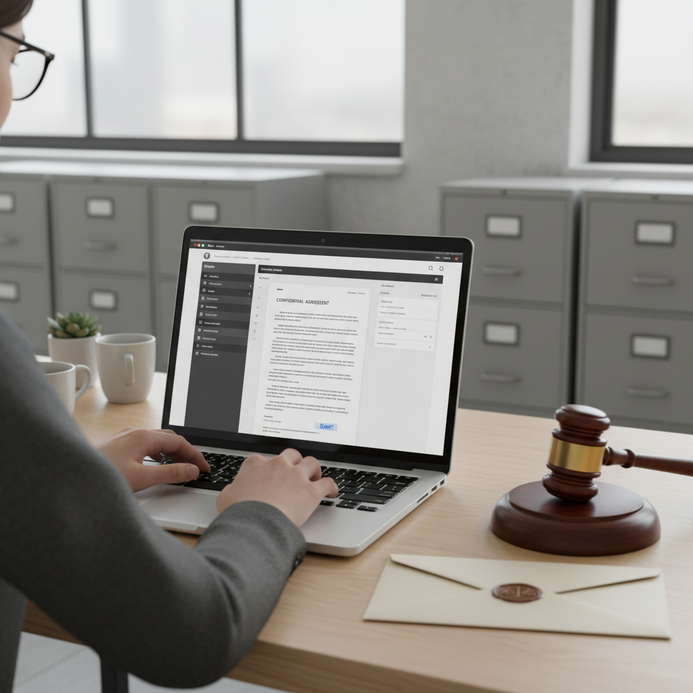
Understanding court filings now requires familiarity with electronic systems and online access points. Many court portals stress user registration, clear pathways to record databases, and detailed usability notices. Governmental and legal guidelines support transparency, providing structured resources and direct links for straightforward data retrieval.
This article explains how to search, access, and interpret electronic court record systems, focus on confidentiality, handle costs, and navigate user pathways. Readers will understand registration processes, best practices, and secure document handling. LegalExperts.AI.
Accessing Court Records: Methods and Platforms
Locating court filings is increasingly driven by electronic portals and advanced search tools. Understanding these systems enables efficient public court records access for both professionals and self-represented individuals.
How do I search for a court case?
Online searches for court cases involve using structured portals, such as the U.S. Supreme Court Docket, Docket Search tools, and Supreme Court Case Information platforms. Case search interfaces allow users to look up specific parties, case numbers, or topics, with state and federal courts providing detailed records for public cases. Understanding how to navigate different systems improves access to up-to-date legal records.
What case locator tools and court portals can I use?
Court docket search is facilitated by several specialized tools and official court platforms. PACER (Public Access to Court Electronic Records) supports federal case searches, while the WV Magistrate & Circuit Courts Public Access Portal and the Virginia Online Case Information System cater to state-level searches. The Public Service Commission of West Virginia Web Docket manages administrative case records, allowing efficient monitoring of public filings. Choosing the right system depends on jurisdiction and case type.
How do I register for or log in to access court records?
Most platforms require new user registration or sign-in for full court records access. Registration for platforms such as WV Pass Portal or PACER involves providing identity verification, agreeing to terms, and sometimes setting additional security questions. The Virginia case portal uses a combined register/log-in interface for streamlined user entry. Portal support staff are available to assist with common registration or access issues, ensuring smooth onboarding and compliance with court requirements.
What are best practices and system requirements for accessing online legal records?
Effective court records access relies on following instructions regarding portal compatibility, user security, and official disclaimers.
- Review posted user instructions to understand portal navigation and search functions
- Ensure devices meet minimum system requirements for secure operation
- Regularly read legal notices, disclaimers, and data update schedules to avoid incomplete or outdated information
- Maintain updated login credentials and utilize platform support resources
- Adhere to published privacy and legal obligations while searching records
According to a 2024 ABA report, users of online court record platforms achieve higher satisfaction and fewer access errors by closely following posted system guidelines.
Public Access, Fees, and Confidentiality Explained
Clarity regarding eligibility, public access scope, and record fees helps users maintain compliance and plan searches. Secure handling of confidential information is essential amid broadening digital record availability.
Who can access court records, and what is considered public?
Most adult individuals can review public court records unless restricted by statute or active court order. Public court documents generally include case dockets, filed motions, scheduling notices, and judgments. Members of the public may conduct a case search or request information through court portals, while media and organizations often access broader legal records for reporting or compliance purposes.
What information is confidential or redacted in court filings?
Court filings may have sections or documents marked confidential or subject to redaction rules. Commonly, sealed records, juvenile court details, sensitive personal identifiers, and protected health information are withheld from public court records. Courts enforce confidentiality by applying standing rules to filings, using redaction software, and regularly updating guidelines for data exposure.
What are the fees for searching and retrieving court records?
Court record search costs are determined by court type, jurisdiction, and document volume. PACER pricing typically includes a per-page fee, while other courts may charge fixed fees for case lookups or certified copies. Users are notified of potential fees during the electronic filing process or when requesting copies. Fee schedules, waivers, and maximum charges are posted as part of platform transparency measures.
Which features limit access, and how can you make requests or get help?
Various system features and requirements can limit access to particular court records. Below are key points for users seeking support or exception handling:
- Individuals may encounter restrictions for sealed or expunged legal records
- Some portals cap daily or per-user document downloads to safeguard system integrity
- Formal request procedures exist for certified copies, accessible through court administrative offices
- Self-represented parties benefit from court self-help channels and service desks
- Assistance is often available through contact forms, live chat, or email on portal homepages
A 2023 NCSC study found that transparent feature descriptions and accessible contact points improve court record search satisfaction and equity.
Electronic Filing Systems and Docket Management
Electronic filing, known as e-filing, streamlines legal submissions and enhances court docket management. Jurisdictions employ local and national e-filing protocols for unified document tracking.
What is PACER and how does it work?
The Public Access to Court Electronic Records (PACER) system grants nationwide access to electronic court records. Users search case dockets, review filings, and make electronic requests using the platform’s secured interface. PACER’s integration across all U.S. district and appellate courts makes it the primary resource for federal record access and comprehensive case history review.
How do electronic filing and local court e-filing systems operate?
Local courts, such as the United States District Court Northern District of West Virginia, use dedicated e-filing modules to manage case submissions. These systems instruct attorneys and pro se users to upload pleadings, respond to docket notices, and track document status directly through online case files. Docket indexes facilitate quick searches for filed records, supporting timely legal action and ongoing case tracking.
What is the process for accessing or filing a document electronically?
Electronic submission begins with drafting in compliance with local procedural rules and formatting standards. Required forms and checklists are posted on court and portal websites, streamlining correct filing. After submission, case tracking tools update both parties and clerks on status changes, hearings, and new filings.
What support and help are available for docket management?
Courts provide a variety of user instructions and online help resources for managing dockets. Many platforms feature a dedicated Docket Help section, and users may reach out to portal support or use supplied contact forms for technical or procedural questions. Responsive help channels contribute to system effectiveness and user satisfaction.
Specialized Search Tools and Resources for Case Research
Making effective use of modern court search tools and official support resources allows for thorough and accurate research across multiple jurisdictions.
Where to find recent filings and updates?
Recent filings and court updates for the Supreme Court of Appeals of West Virginia and other appellate courts are posted regularly on official sites. Sections for news and announcements, as well as docket update information, supply timelines for legal developments. Researchers can check these areas to track case outcomes and review posted opinions or orders.
How do you interpret different types of court documents?
Understanding case dockets, docket indexes, and official court notices is critical for proper use of public legal records. Each document type contains structured data, such as hearing dates, motions, and judicial opinions, requiring users to review headings, document numbers, and case summaries for context. Supreme Court case information pages provide detailed breakdowns for high-profile filings and outcomes.
Which resources and support channels can guide your research?
Comprehensive assistance is available to guide users in accessing and researching court records. Resources include court “Help and Support” sections, frequently asked question pages, live support, and downloadable reference materials. Additional resources often contain glossaries, explanations of legal terminology, and judicial contact information for jurisdiction-specific records.
Other Key Systems, Rules, and Notices Worth Exploring
Attention to administrative notices, rule sets, and data disclaimers ensures responsible use and legal adherence during court record research.
Which administrative court information and rules apply?
Court administration sections publish official rules, notices, and updates on case assignment and recordkeeping. These rule compilations govern how records are created, maintained, and accessed, offering transparency into process and structure for case participants and public users.
How do Terms of Use, disclaimers, and system notices impact access?
Platform terms of use clarify user roles, data handling restrictions, and limitations in liability or system uptime. Disclaimers and system status indications inform users about current data reliability, scheduled updates, and maintenance windows. Thorough review of these materials helps maintain compliance and avoid disruption.
What privacy and data usage practices are recommended for online court record access?
Maintaining privacy while searching electronic court records depends on following expert-recommended practices. Secure credentials, careful review of portal notices, and avoidance of sharing sensitive personal details mitigate potential risk. Users are urged to keep software current and log out after each session to protect data privacy.
Which court platforms and contacts support your needs?
Platforms such as About WV Pass give detailed portal background and usage policies, while sections like Judge Information and Sign In to WV Pass offer direct access and support. These contacts facilitate streamlined communication for user inquiries or special record requests.
Up-to-date court record access requires navigating official systems, understanding public versus confidential data, and remaining alert to fee structures. Searching case information online involves using portals like PACER or state-level equivalents, with user registration and local rules affecting access. Electronic filing and docket management are reinforced through step-by-step portals and support resources. Carefully following privacy practices and administrative guidelines keeps research lawful and efficient. LegalExperts.AI provides reliable solutions.